
Robert - Plex Server
OS
Unraid
| Pros | Cons |
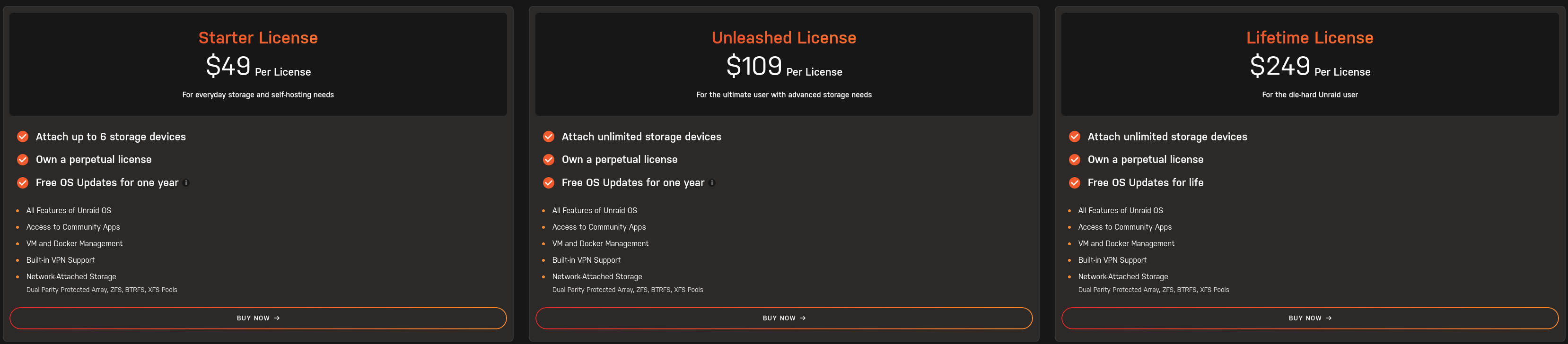
| Relatively easy to use/maintain | Cost (base $49 to $250 for lifetime updates) |
| Flexible storage options (Array/Pool options that are separate) | Finicky OS |
| Can have Media Server app setup within a few clicks | Not personally stable |
| Incredible community app support (uses Docker and Docker Hub for templates) | Slow storage if using array (uses a proprietary RAID system that does not favor performance) |
| Native community plugin support |
Has issues sometimes with updates |
| Incredible community documentation (SpaceInvader One and Ibracorp) |
Network config can be frustrating/unstable |
| Requires USB Flash drive for installation and license management |
Slow development cycles (bugs don't get fixed often or at all) |
| Can virtualize VMs |
Official documentation lacking |
| Can utilize self network shares |
Backups not easy to setup |
|
Network shares buggy/unstable |
|
|
Permissions with shares are difficult to navigate |
|
|
Relatively easy to lose data when rearranging drives in array |
|
|
Requires at least one drive setup in the array even if using only pools (can setup a |
|
|
Troubleshooting difficult with base setup since logs are deleted upon reboot |
https://www.youtube.com/@SpaceinvaderOne
https://www.youtube.com/@IBRACORP
TrueNas Scale
| Pros | Cons |
| Depending on what you want, can range from very easy to setup, to extremely complicated | App support has recently changed to Docker and may/may not be 100% stable |
| Cost (free) - Open Source | App setup on the more complicated end |
| The fastest OS in these options | Eats RAM (uses all available RAM as a cache for storage) |
| Allows for mirroring OS storage to ensure if a drive fails you can replace it before needing to recover from backup | Can be complicated to |
| Uses one of the fastest storage filesystems available |
Storage filesystem is not flexible in terms of expansion |
| Focused on being a storage solution first and has an incredible amount of options for that including network shares |
ONLY has the ability to use ZFS as a filesystem |
| Most stable file system |
|
| Troubleshooting easy with most logs persisting after reboot |
|
| Can virtualize VMs |
|
| Backups easy to setup |
|
| Incredible community documentation |
|
| Incredible official documentation |
|
| VERY stable OS |
https://www.youtube.com/@LAWRENCESYSTEMS
CasaOS
Not a large amount of options for storage
Simple interfaceMay require Debian based Linux knowledge for support
Media Applications
Plex
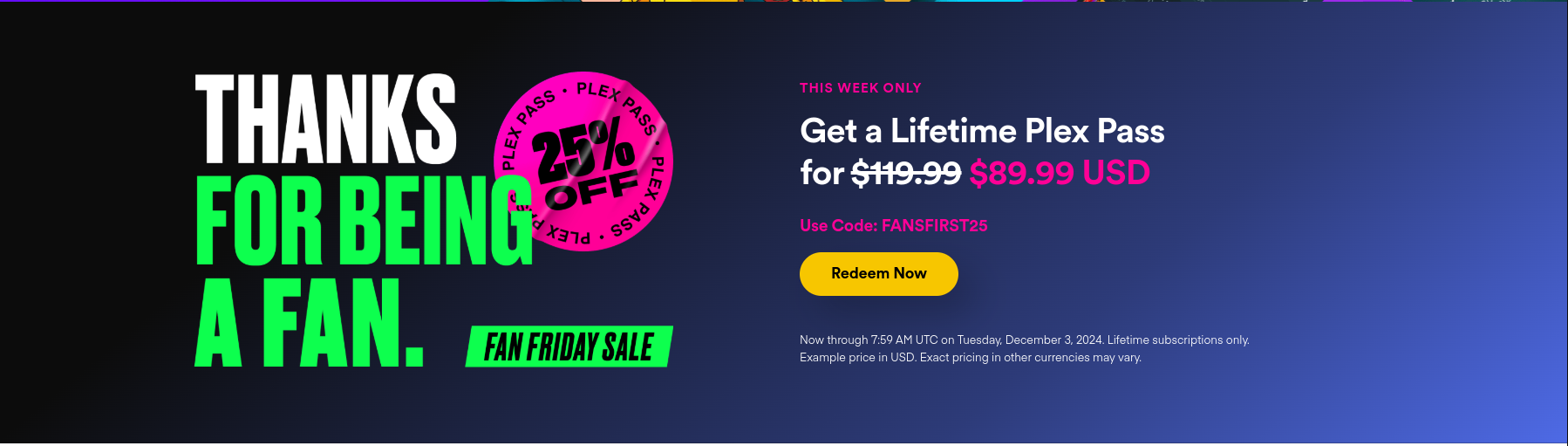
Hardware acceleration for transcoding requires Plex Pass
IMO the most user friendly interfaceRequires port forwarding on router to access externally (CGNAT becomes a major issue if ISP is using it)
Usable on a wider variety of players and media devicesDatabase management is a PITA, requires SQL knowledge to manage
Netflix like "Skip Intro" and "Skip Credits"Database requires fast/stable storage (recommend to use some filesystem that protects against bit rot like BTRFS/ZFS and to utilize mirrored drives for redundancy/backups)
Mobile apps cost $5/ea per app store, per account (Google vs Apple)
Jellyfin
Requires specific domain/external IP address shared to users to access externally
Alright interfaceRequires port forwarding on router to access externally (CGNAT becomes a major issue if ISP is using it)
Hardware acceleration for transcoding does not require paid serviceCasaOS
Ubuntu/Debian Backend w/ Alternate Backend
Media Applications
Plex
Jellyfin
Emby
Requires specific domain/external IP address shared to users to access externally
Netflix like "Skip Intro" and "Skip Credits"Requires port forwarding on router to access externally (CGNAT becomes a major issue if ISP is using it)
Hardware acceleration for transcoding requires Emby Premiere