
Robert - Plex Server
OS
Unraid
| Pros | Cons |
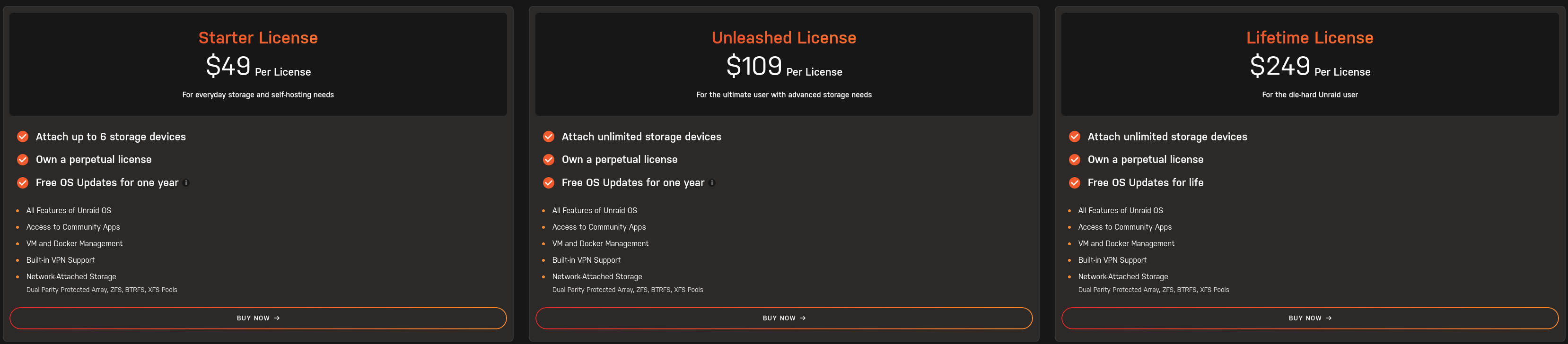
| Relatively easy to use/maintain | Cost (base $49 to $250 for lifetime updates) |
| Flexible storage options (Array/Pool options that are separate) | Finicky OS |
| Can have Media Server app setup within a few clicks | Not personally stable |
| Incredible community app support (uses Docker and Docker Hub for templates) | Slow storage if using array (uses a proprietary RAID system that does not favor performance) |
| Native community plugin support |
Has issues sometimes with updates |
| Incredible community documentation (SpaceInvader One and Ibracorp) |
Network config can be frustrating/unstable |
| Requires USB Flash drive for installation and license management |
Slow development cycles (bugs don't get fixed often or at all) |
| Can virtualize VMs |
Official documentation lacking |
| Can utilize self network shares |
Backups not easy to setup |
|
Network shares buggy/unstable |
|
|
Permissions with shares are difficult to navigate |
|
|
Relatively easy to lose data when rearranging drives in array |
|
|
Requires at least one drive setup in the array even if using only pools (can setup a USB drive to be used here) |
|
|
Troubleshooting difficult with base setup since logs are deleted upon reboot |
https://www.youtube.com/@SpaceinvaderOne
https://www.youtube.com/@IBRACORP
TrueNas Scale
| Pros | Cons |
| Depending on what you want, can range from very easy to setup, to extremely complicated | App support has recently changed to Docker and may/may not be 100% stable |
| Cost (free) - Open Source | App setup on the more complicated end |
| The fastest OS in these options | Eats RAM (uses all available RAM as a cache for storage) |
| Allows for mirroring OS storage to ensure if a drive fails you can replace it before needing to recover from backup | Can be complicated to maintain especially if something goes wrong (not everything has GUI support). YOU WILL LEARN ZFS COMMANDS |
| Uses one of the fastest storage filesystems available |
Storage filesystem is not flexible in terms of expansion |
| Focused on being a storage solution first and has an incredible amount of options for that including network shares |
ONLY has the ability to use ZFS as a filesystem |
| Most stable file system |
|
| Troubleshooting easy with most logs persisting after reboot |
|
| Can virtualize VMs |
|
| Backups easy to setup |
|
| Incredible community documentation |
|
| Incredible official documentation |
|
| VERY stable OS |
|
https://www.youtube.com/@LAWRENCESYSTEMS
CasaOS
| Pros | Cons |
| Cost (free) - Open Source | Setup from an existing Ubuntu/Debian OS |
| App setup seems very easy but full featured |
Not a large amount of options for storage |
| Simple interface |
May require Debian based Linux knowledge for support |
Media Applications
Plex
| Pros | Cons |
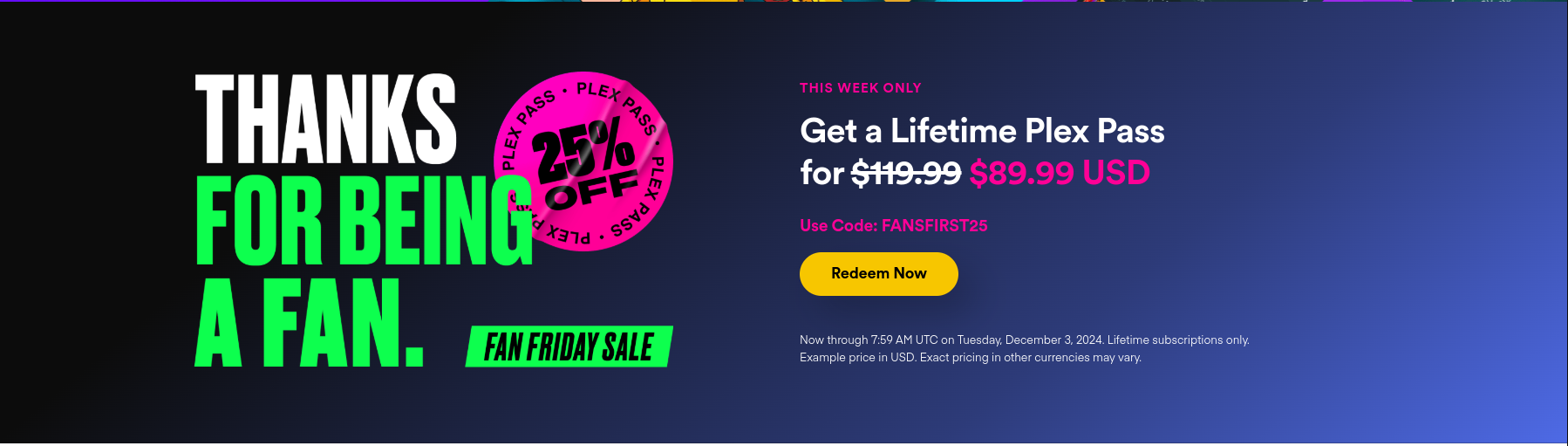
| Simplest network management (they have their own servers to broker external connections through to the hosted media server) | Cost ($5/mo for Plex Pass or $120 for lifetime) |
| Most management of libraries is set it and forget it (with proper media names) |
Hardware acceleration for transcoding requires Plex Pass |
| IMO the most user friendly interface |
Requires port forwarding on router to access externally (CGNAT becomes a major issue if ISP is using it) |
| Usable on a wider variety of players and media devices |
Database management is a PITA, requires SQL knowledge to manage |
| Netflix like "Skip Intro" and "Skip Credits" |
Database requires fast/stable storage (recommend to use some filesystem that protects against bit rot like BTRFS/ZFS and to utilize mirrored drives for redundancy/backups) |
|
Mobile apps cost $5/ea per app store, per account (Google vs Apple) |
Jellyfin
| Pros | Cons |
| Cost (free) - Open Source | Complex networking setup for external access |
| Management of libraries is relatively easy like Plex but not necessarily as set and forget |
Requires specific domain/external IP address shared to users to access externally |
| Alright interface |
Requires port forwarding on router to access externally (CGNAT becomes a major issue if ISP is using it) |
| Hardware acceleration for transcoding does not require paid service |
|
| Offline media free to download |
|
Emby
| Pros | Cons |
| Management of libraries is relatively easy like Plex but not necessarily as set and forget | Cost ($5/mo for Emby Premiere or $120 for lifetime) |
| Alright interface | Complex networking setup for external access |
| Offline media requires Emby Premiere to download |
Requires specific domain/external IP address shared to users to access externally |
| Netflix like "Skip Intro" and "Skip Credits" |
Requires port forwarding on router to access externally (CGNAT becomes a major issue if ISP is using it) |
|
Hardware acceleration for transcoding requires Emby Premiere |
No comments to display
No comments to display